
Introduction
When it comes to home entertainment, streaming devices have changed the game. Two of the most popular options are Amazon Firestick and Google Chromecast — both delivering powerful streaming performance and easy access to your favorite apps like Netflix, YouTube, and Xtream HD IPTV.
But if you’re planning to buy one, you might be wondering: Which is better for streaming in 2025 — Firestick or Chromecast?
In this review, we’ll compare both devices in detail, highlight their pros and cons, and help you choose the best one for your needs.
Related: How to Set Up Firestick on a Smart TV (Step-by-Step Guide)
1. Overview: Firestick vs. Chromecast
| Feature | Amazon Firestick | Google Chromecast |
|---|---|---|
| Brand | Amazon | |
| Interface | Remote-based (Fire OS) | Mobile casting (Google TV or phone) |
| Apps & Channels | Netflix, Prime Video, Xtream HD IPTV, Disney+ | YouTube, Netflix, Xtream HD IPTV, Hulu |
| Voice Assistant | Alexa | Google Assistant |
| Resolution | Up to 4K UHD | Up to 4K UHD |
| Price Range | $40–$70 | $30–$70 |
| Best For | Hands-free control and Fire OS ecosystem | Simplicity and casting via mobile devices |
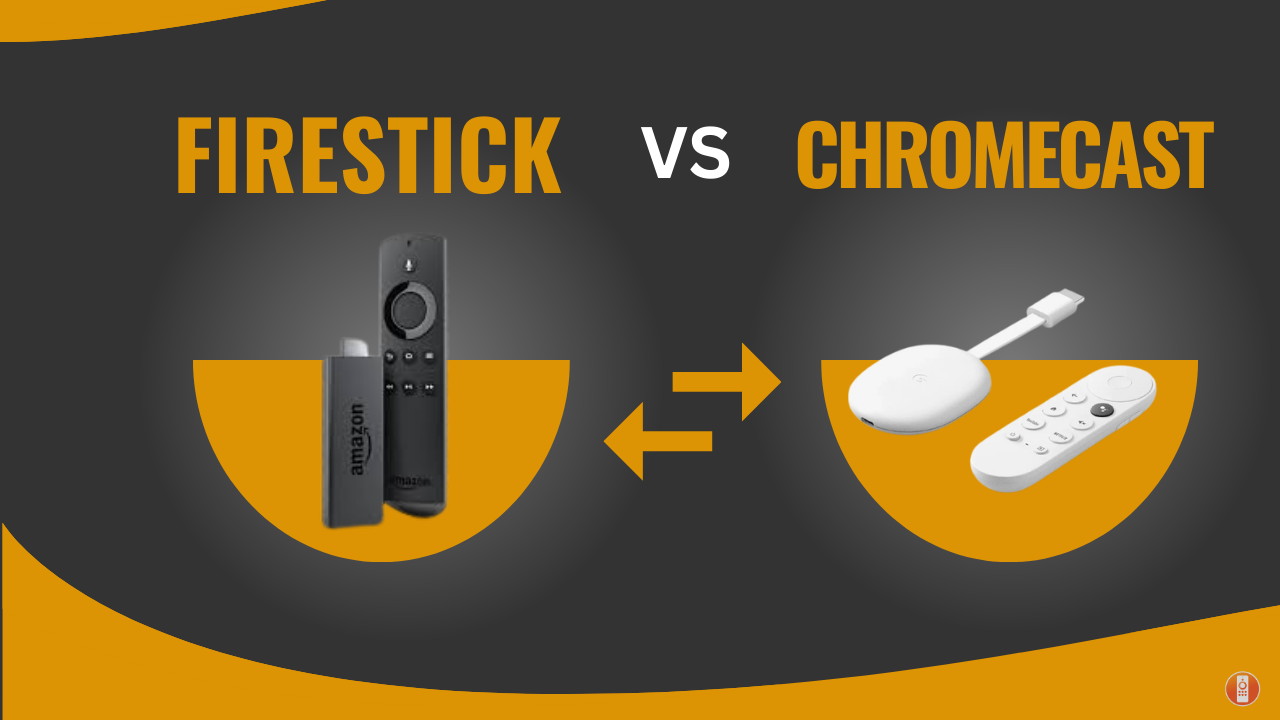
Firestick vs Chromecast – Feature Showdown
Amazon Fire TV Stick Best for IPTV
- ✔ Remote-based navigation (Fire OS)
- ✔ Alexa voice control
- ✔ Easy APK & IPTV installation
- ✔ Strong 4K streaming performance
Check Latest Firestick Price on Amazon
Chromecast with Google TV
- ✔ Seamless phone casting
- ✔ Google Assistant built-in
- ✔ Clean Google TV interface
- ✔ Affordable entry-level option
2. Features Comparison: Which One Fits Your Streaming Style?
Amazon Firestick Highlights
- Access 10,000+ apps and channels via Fire OS.
- Alexa voice remote for quick content search.
- Supports sideloading apps like Xtream HD IPTV easily.
- Built-in Wi-Fi and Bluetooth for accessories.
- Great for Smart TV users who prefer a remote-based interface.
💡 Best For: Users who want a traditional streaming setup with a remote and smoother IPTV experience.
Google Chromecast Highlights
- Seamless integration with Google ecosystem (YouTube, Android, Nest).
- Control playback directly from your phone.
- Supports casting from Chrome browser or any device on the same Wi-Fi.
- Newer versions (Chromecast with Google TV) include remote control and app interface.
💡 Best For: Users who love mobile-first streaming or already use Android and Google smart devices.
3. Pros & Cons Breakdown
Amazon Firestick Pros
- Easy setup and app installation.
- Alexa voice search and smart home integration.
- Stable performance for IPTV and VOD apps.
- Regular software updates.
Amazon Firestick Cons
- Amazon interface pushes its own content.
- Occasional app compatibility issues.
Google Chromecast Pros
- Simple and lightweight device.
- No remote needed for older models.
- Smooth casting from Android and Chrome.
- Affordable pricing.
Google Chromecast Cons
- Dependent on your phone or tablet for control.
- Limited offline app options without Google TV version.
4. IPTV Compatibility: Firestick vs Chromecast
If you plan to use Xtream HD IPTV or other IPTV services, Firestick generally offers better compatibility.
You can install IPTV Smarters Pro, TiviMate, or XCIPTV directly from APK files. Chromecast, on the other hand, requires casting IPTV content from another device, which can be less stable.
Try it out: Xtream HD IPTV Free 24-Hour Trial
5. Price & Value
Both devices fall into a similar price range, but Firestick often provides better value due to its built-in storage, app support, and Fire OS system updates.
Chromecast is ideal for minimalists who prefer controlling everything from their phone.
Recommendation:
- Firestick 4K Max → For IPTV & Smart TV users.
- Chromecast with Google TV → For Android and Google smart home lovers.
6. Which Should You Choose?
| Use Case | Recommended Device |
|---|---|
| IPTV & VOD Streaming | Amazon Firestick |
| Mobile Casting & Simplicity | Google Chromecast |
| Smart Home Integration | Both (Alexa & Google Assistant) |
| Budget Option | Chromecast (Standard Edition) |
Which One Should You Buy?
Our Top Recommendation for 2025
Choose Firestick 4K Max if you want maximum flexibility, IPTV compatibility, and powerful performance.
View Firestick Deals on Amazon
*Prices may change. Click above to check current discounts.*
Both streaming devices deliver great performance, but the Amazon Firestick edges ahead for versatility, IPTV support, and ease of use. Chromecast remains an excellent choice for tech-savvy families who love casting content from mobile devices.
In short:
- Best for IPTV and Multi-App Streaming: Firestick
- Best for Mobile Streaming and Simplicity: Chromecast
👉 Ready to enhance your streaming setup?
Check out Xtream HD IPTV Plans and enjoy seamless streaming on Firestick or Chromecast today!
Leave a Reply
You must be logged in to post a comment.